Sep 11, 2026
Metrix v4.1.3: Robinhood support is live
Metrix v4.1.3 does two things worth your attention. First, Robinhood support across the whole workflow - discover, simulate and track the best Robinhood pools! Second, cost basis is now easy for every LP position you hold, and even before you enter one, with a clear breakdown and visual simulation.

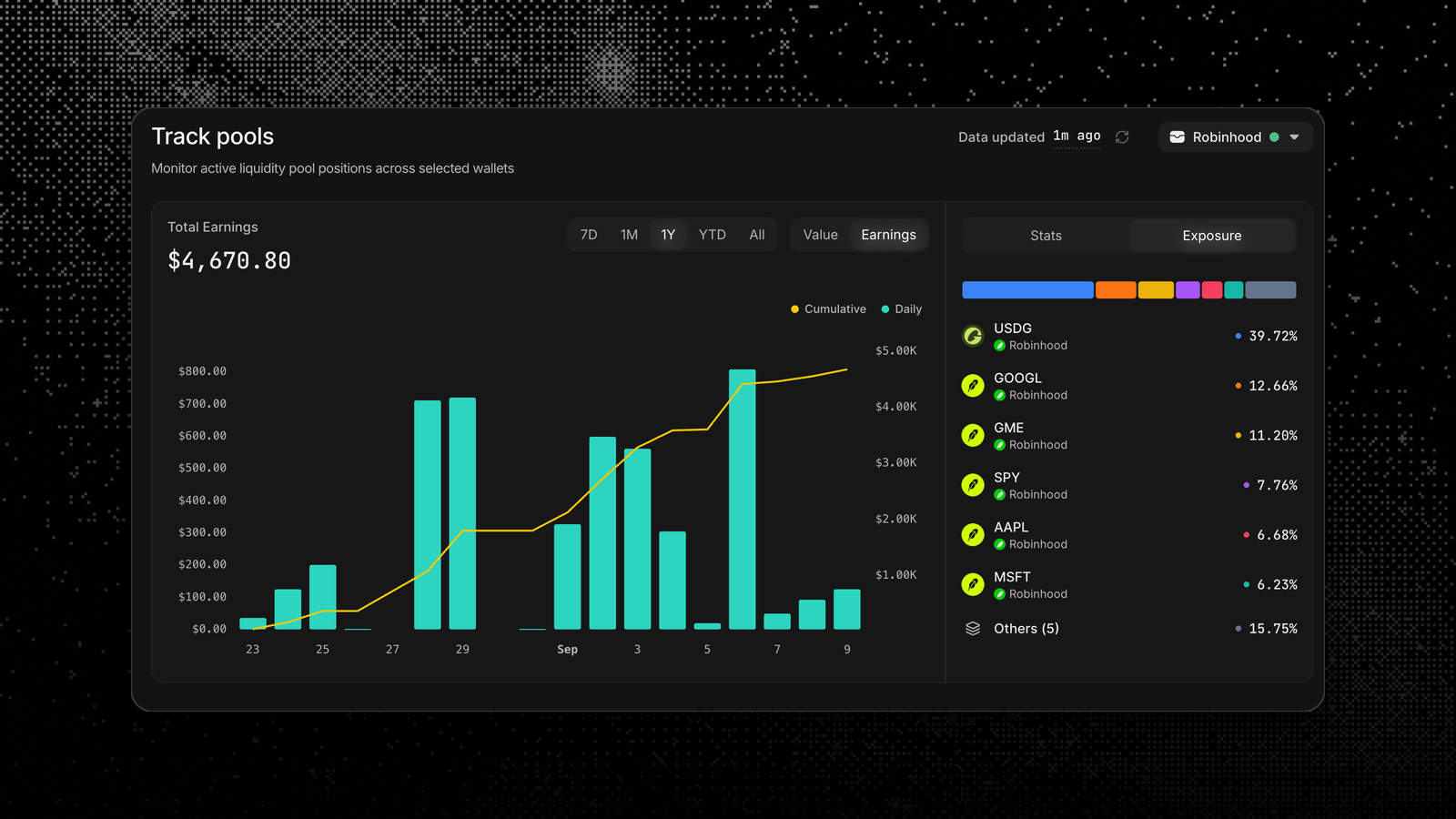
Robinhood Chain, end to end
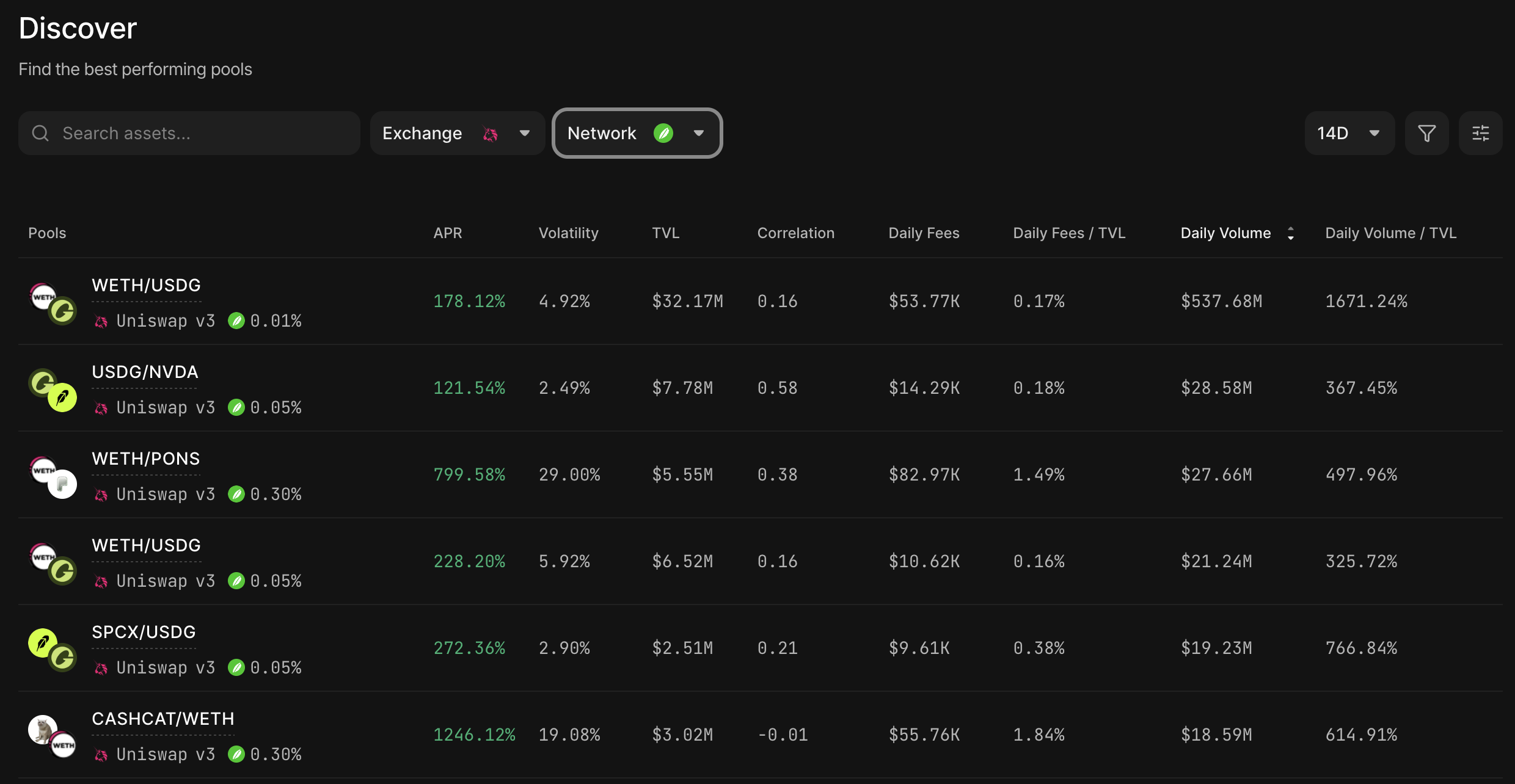
Uniswap V3 and V4 pools on Robinhood now appear in Discover alongside every other network. Sort by the metrics you care about, and browse the best performing pools.
From there the rest of the product works the way it already does. Simulate like any other pool, sync with Track for live position performance.
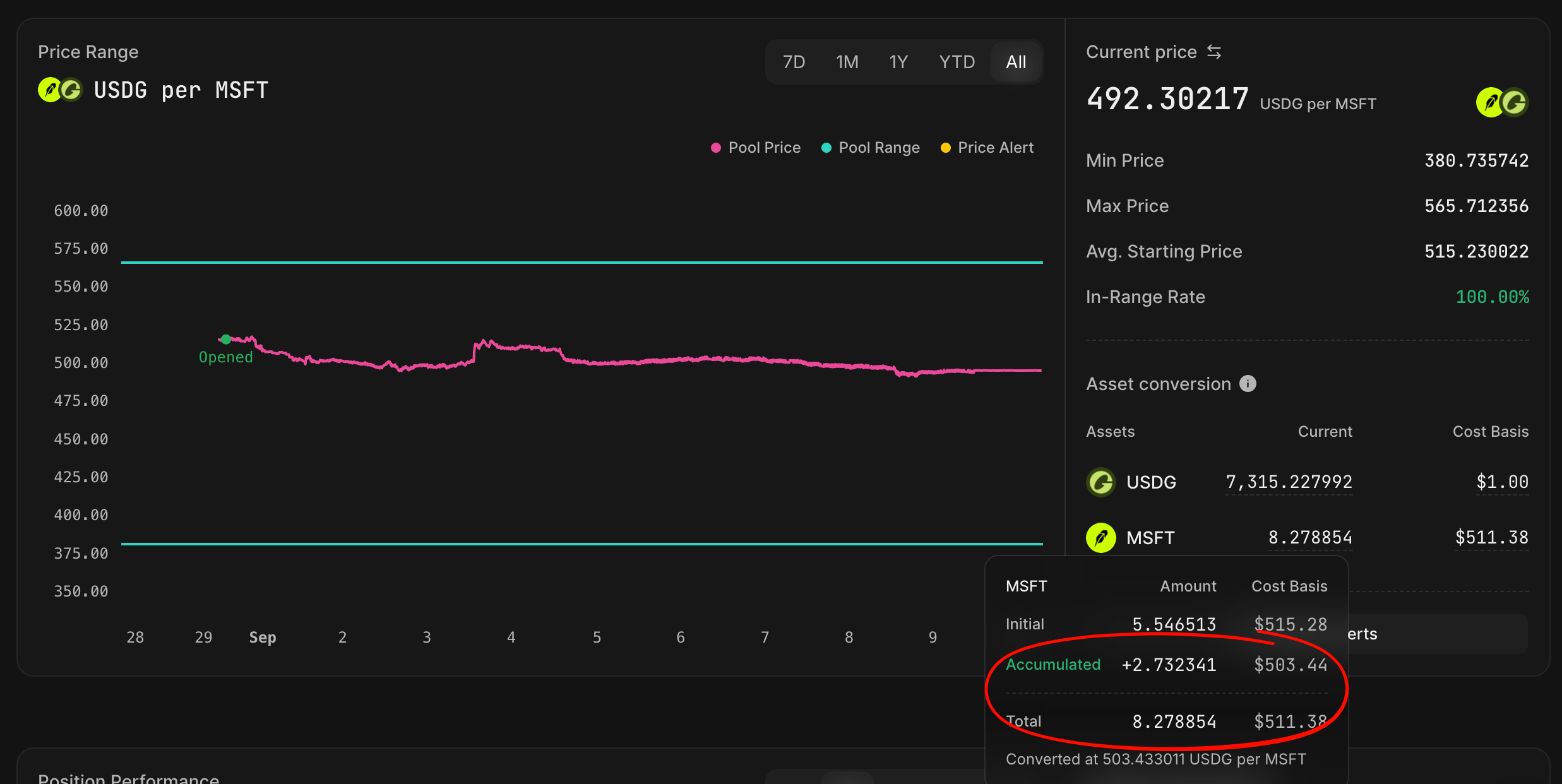
Cost basis at your fingertips
When you provide concentrated liquidity, the pool quietly converts one token into the other as price moves through your range. By the time you close, you are holding a different mix than you deposited, and figuring out the conversion is a nightmare.
Metrix now shows that conversion directly! You get a detailed breakdown separating what you accumulated from what you sold, plus cost basis per token.
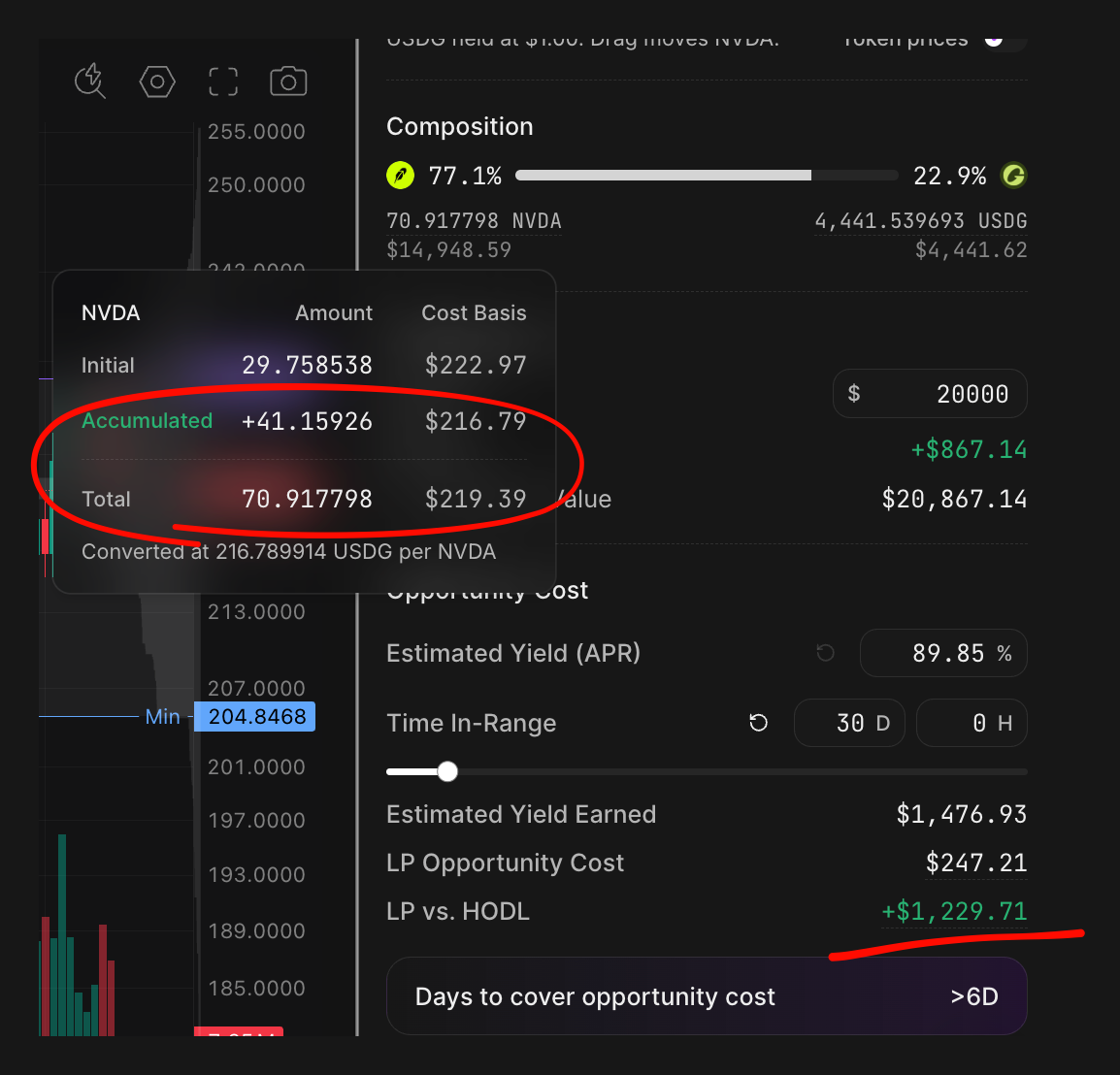
Advanced position simulator
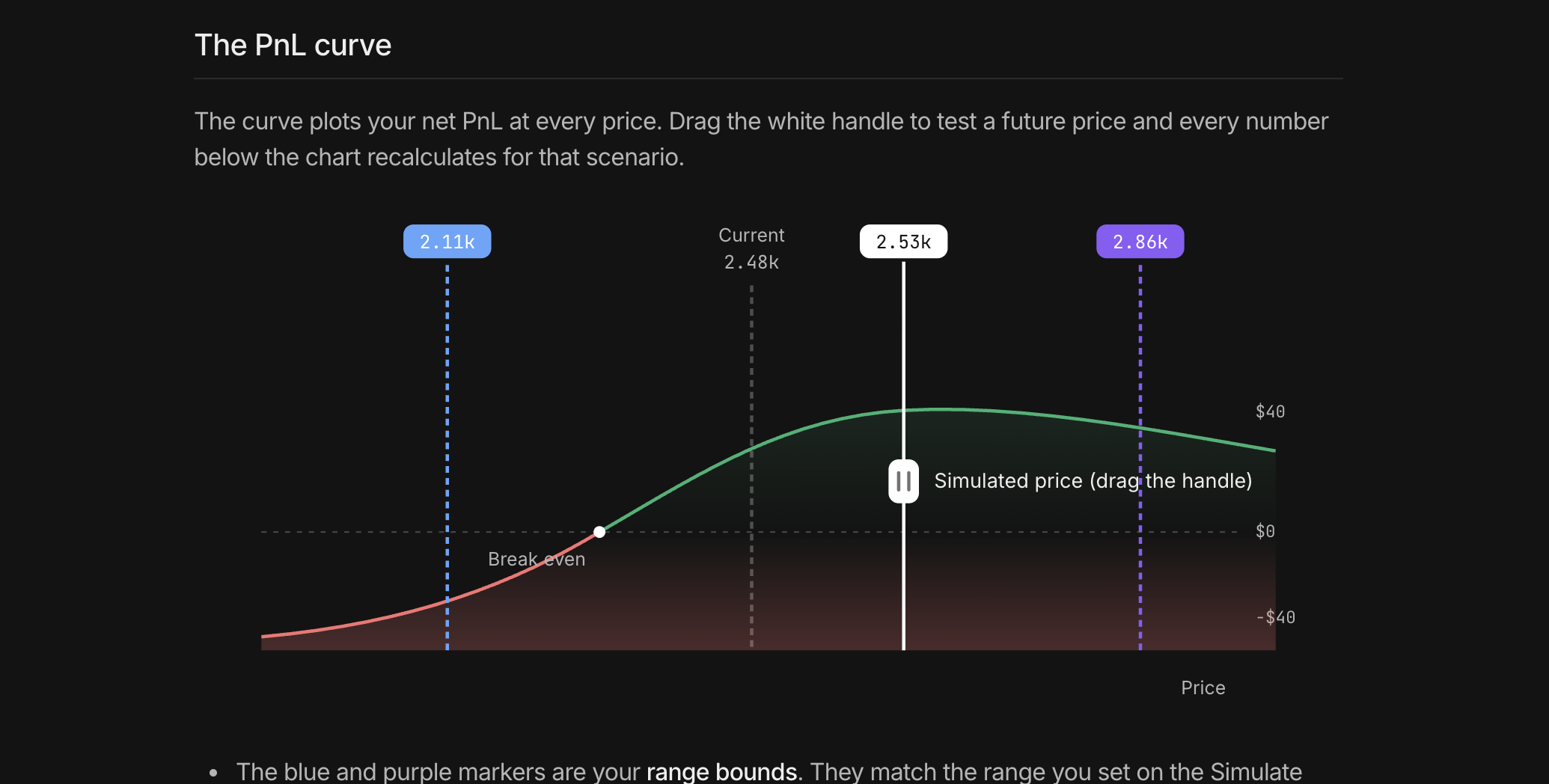
A good portion of our daily work is simulating outcomes before a position exists. Metrix Simulate is already a great tool for that. Now it is even better! The conversion price and breakdown render in Simulate too, along with a visual profit and loss curve.
Set a range, look at where the conversion lands, and decide whether that average price is one you would accept. This is especially useful for DCA style accumulation.
Looking for divergence loss (or impermanent loss) simulation? We got you covered. The visual simulator makes it easy to see LP movement across the range. Adjust the estimated APR and time in range to get a clear picture of how your LP strategy compares with HODL.
And documentation is there for you as well
Sounds complicated? Our Simulate Performance page and the asset conversion guide are public and available from day one. They walk through what the conversion price means, include a diagram of how the two sides move, and work through a live example end to end.
If you want to check how it works, the asset conversion guide is where to start.
A better onboarding
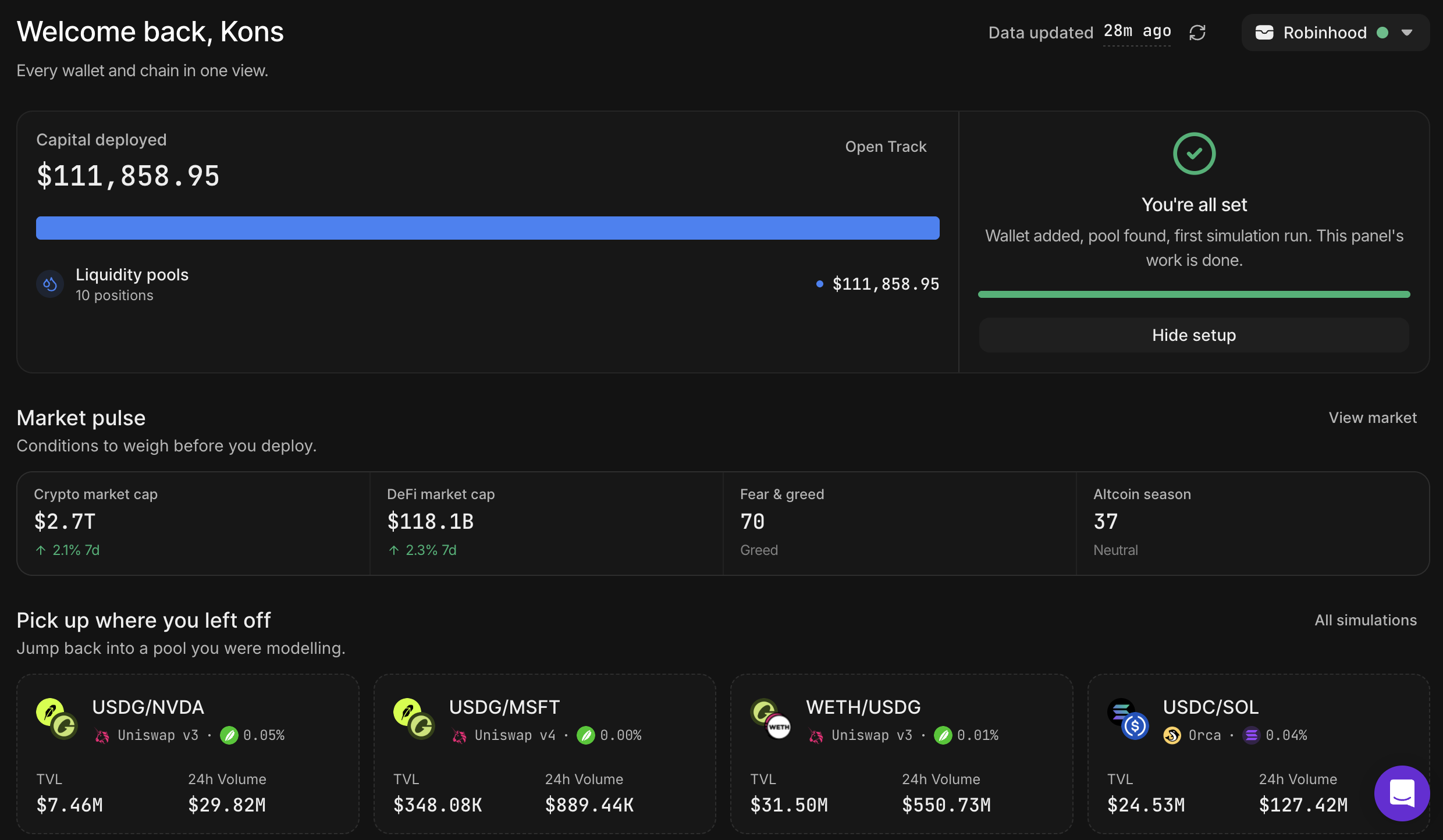
New accounts now land on a Home surface that shows deployed capital next to a short setup checklist, so the first screen tells you where you are upfront. We also introduced guided tours to reduce the onboarding friction.
If you already use Metrix daily, this changes very little for you. It is aimed at the person opening the app for the first time.
And many more quality of life improvements!
The rest of the release is a polish pass across the app. Wallet groups and the Portfolio page, the Track charts, Discover filters and tables and the sidebar all got better.